Design
What you see is the HMI.
Drag a widget on, set it, arrange it — the palette on the left, everything about the selection on the right.
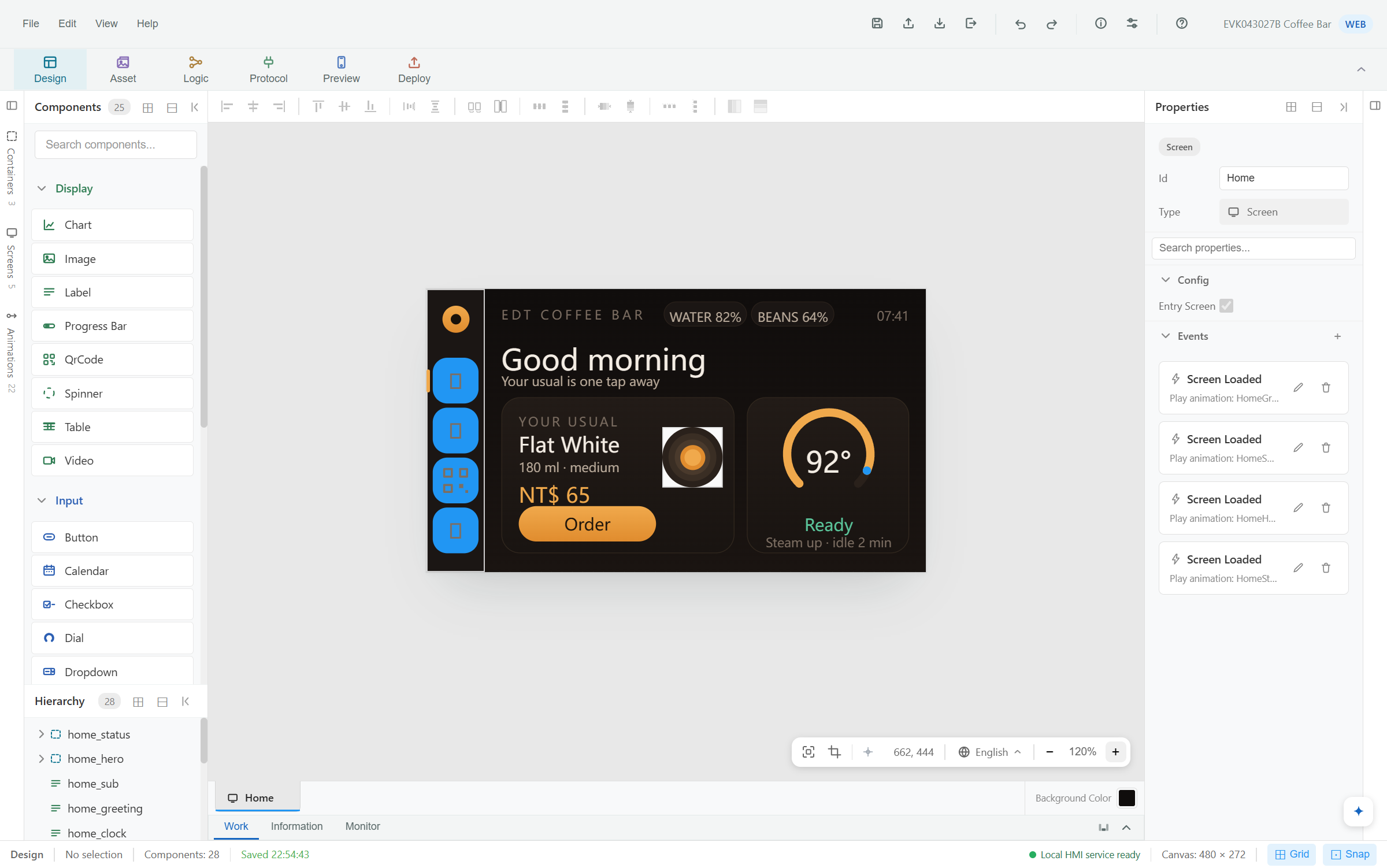
Design HMIs — without writing code. Describe a whole project and let the assistant build it, or ask for one change and watch it land. Everything it makes is an ordinary project you can keep editing by hand.
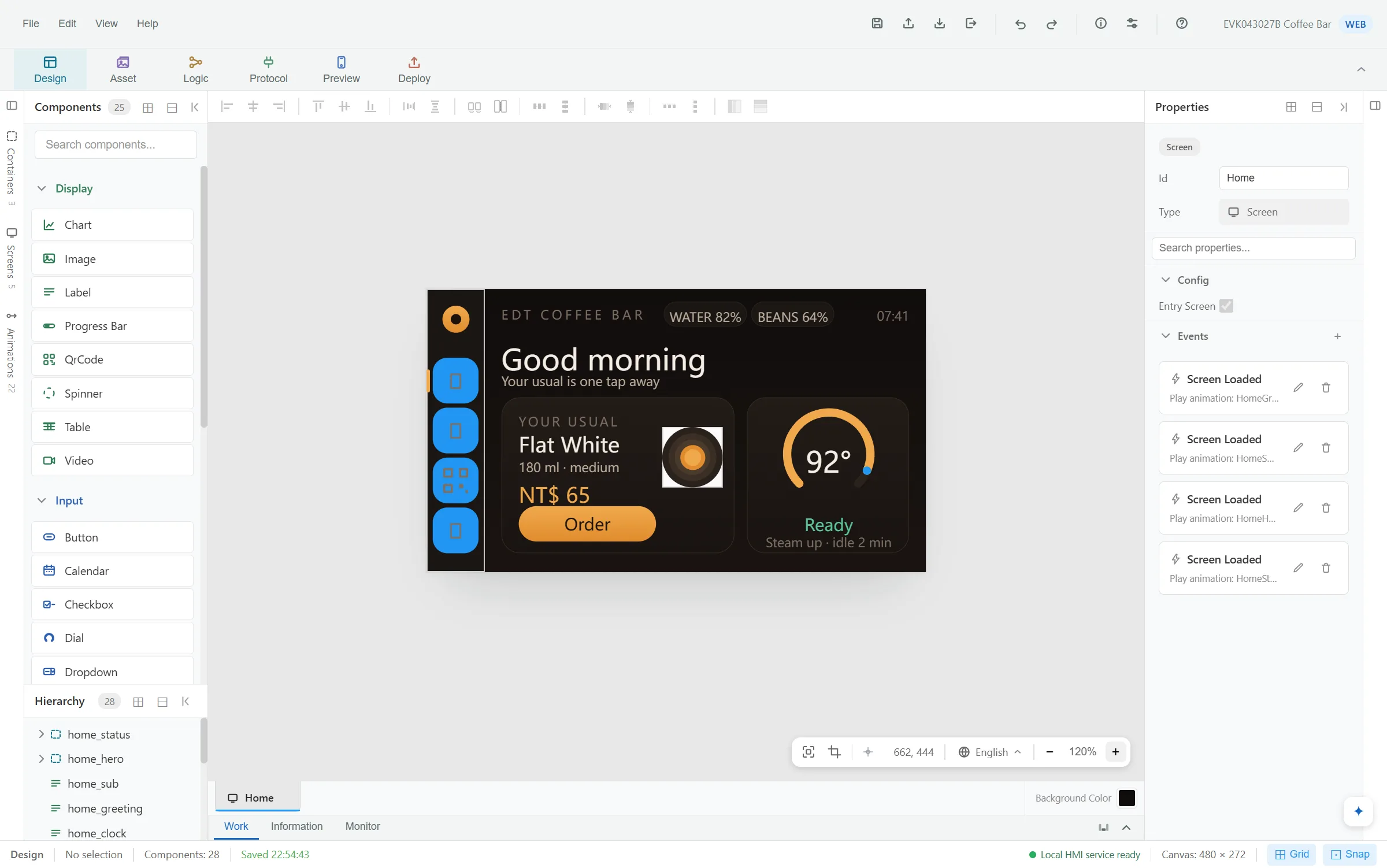
RC-2, the second release candidate — it can be used for formal case development, and your projects are compatible with subsequent versions. It is still short of the general release, so tell us whatever you find.
EDT HMI Studio is rapid application development (RAD) software built for an AI to operate. It works the same controls you do — screens, widgets, styles, text and languages, drawn pictures, and the values the HMI exchanges with your controller — driving the editor itself, in front of you, from a whole project down to a single word.
From a description: screens, widgets, styles, languages, the values it exchanges with your controller, and the bindings between them.
A sketch, a concept image or a photo of an HMI that already exists — read back to you first, then built at the display's real size.
Text, colours, layout, icons, bindings — in the open project, as one step you can take back.
Ask about the project in front of you. It answers, and changes nothing.
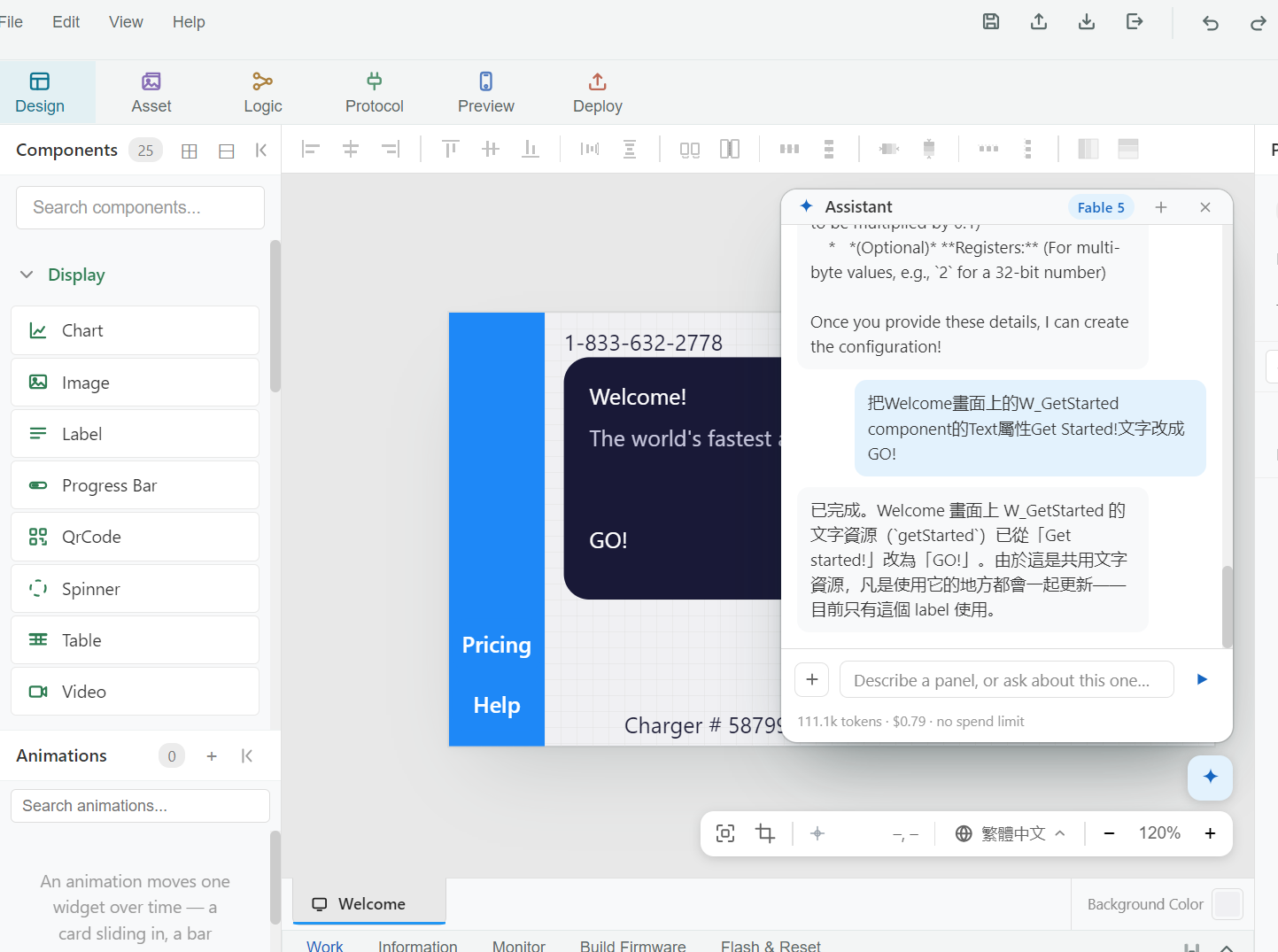 Figure 1. A one-word change, asked in Traditional Chinese. Tap to enlarge.
On the Welcome screen, change the W_GetStarted component's Text from “Get Started!” to “GO!”.
The assistant found the text resource behind that label, changed it, and said what else would follow: the text is shared, so anywhere it's used updates too — here, only this one label.
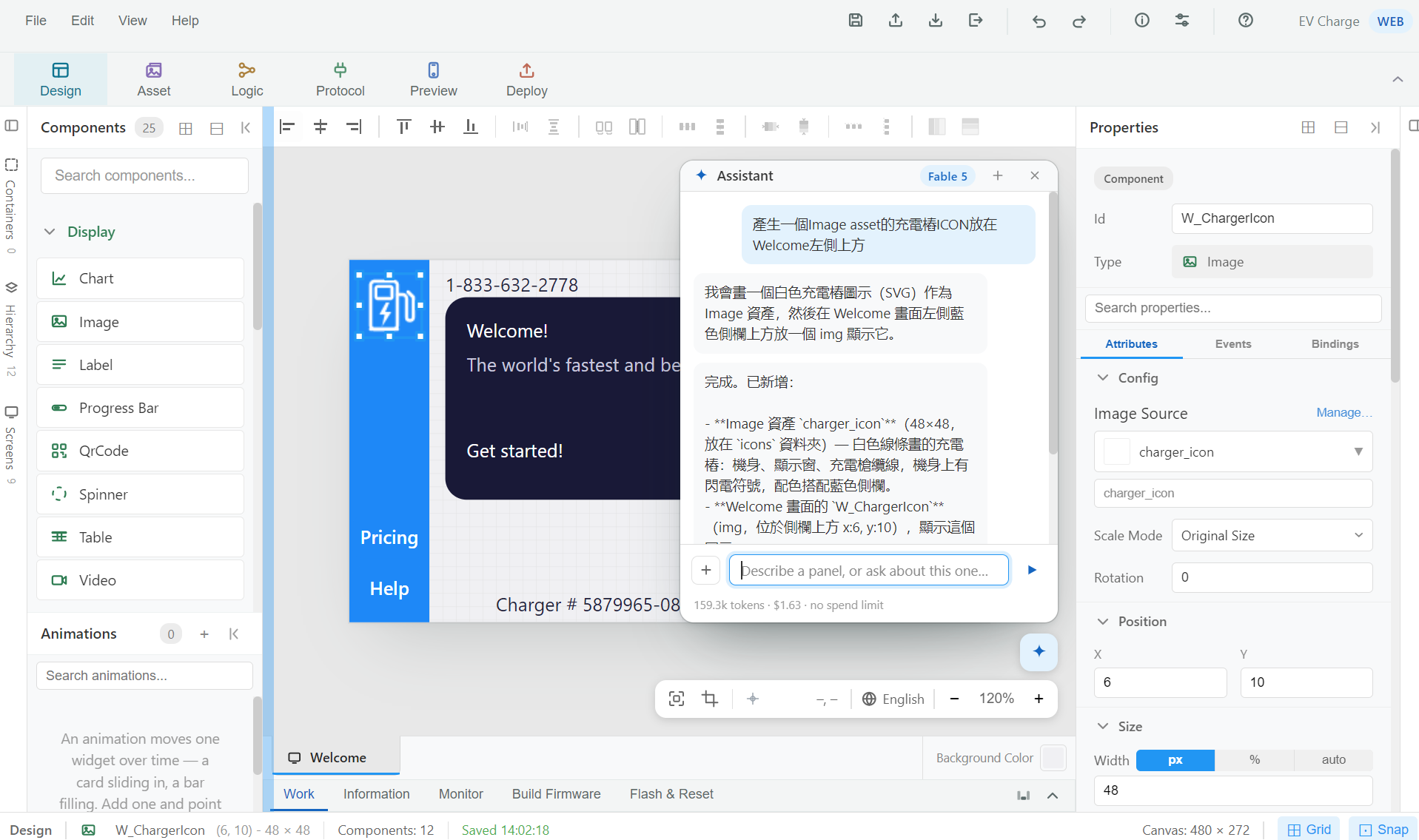 Figure 2. An icon drawn, filed and placed from one request. Tap to enlarge.
Make a charging-station icon as an Image asset and put it at the top left of Welcome.
It drew a white line-art charger — body, display window, cable, a lightning
bolt — in colours chosen for the blue sidebar, filed it as
charger_icon in the icons folder, and placed
W_ChargerIcon at x 6, y 10.
The assistant is a user of the product, not a second product. It can only do what you could do at the same controls.
Every move is an editor action, visible on the canvas while it happens.
However much it did, a run comes back with a single Undo.
Each step passes the editor's own rules. A mistake goes back to the model, not into your project.
It makes content. Sending an HMI to a device stays your decision.
Both are offered only models that can read a picture and call tools — the two things the job takes.
Frontier models through your own OpenRouter key. The key stays on your computer; the page never sees it.
Run a model locally with Ollama — no key, no cloud, nothing billed. Your project doesn't leave the computer.
Let the AI draft the HMI, then finish it by hand in the same editor — or the other way round. Nothing about the project changes depending on who made it.
Taken from the Studio. Tap a picture to open it full size.
Drag a widget on, set it, arrange it — the palette on the left, everything about the selection on the right.
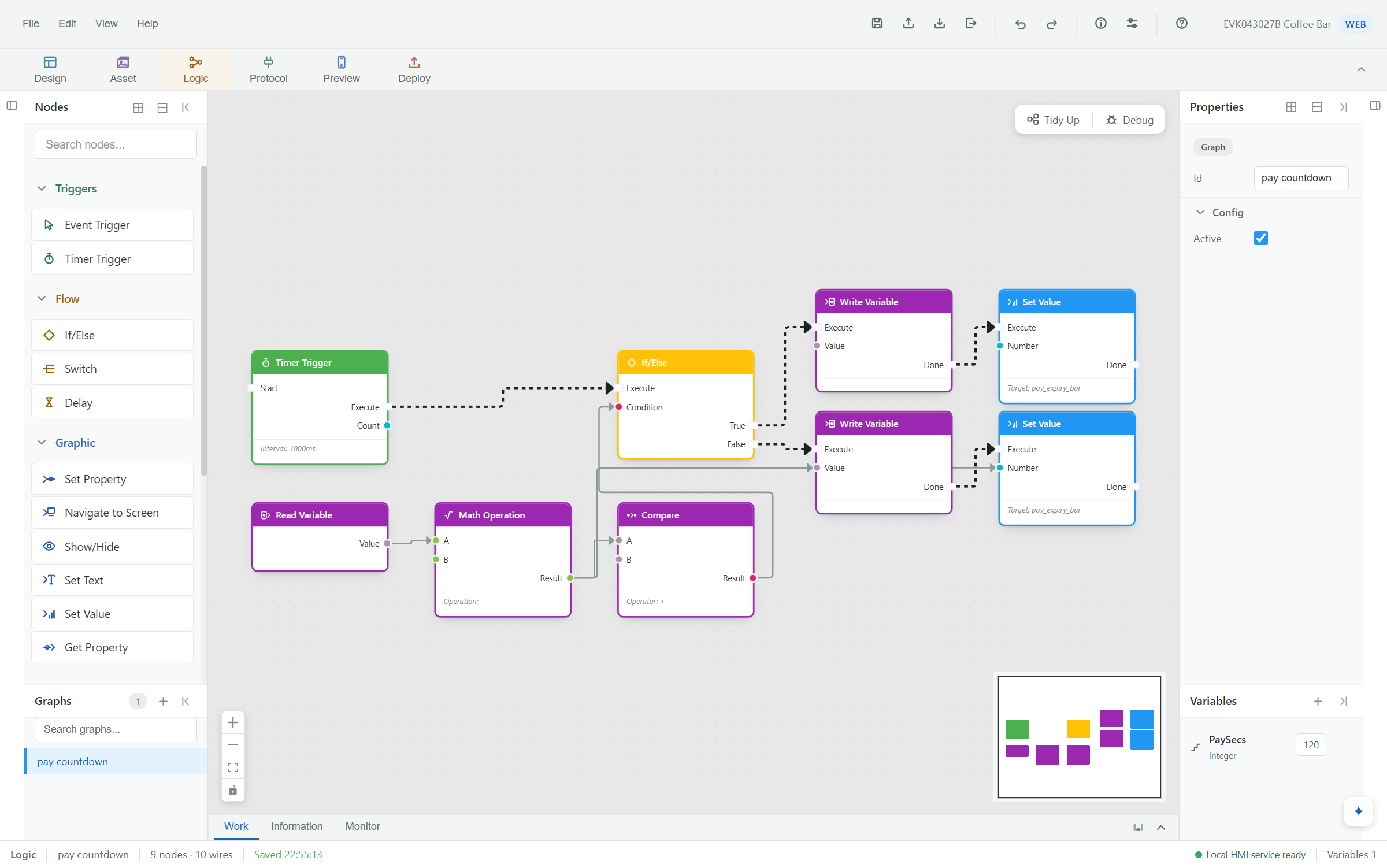
A payment window counted down, compared and branched — nine nodes, ten wires, no scripting language.
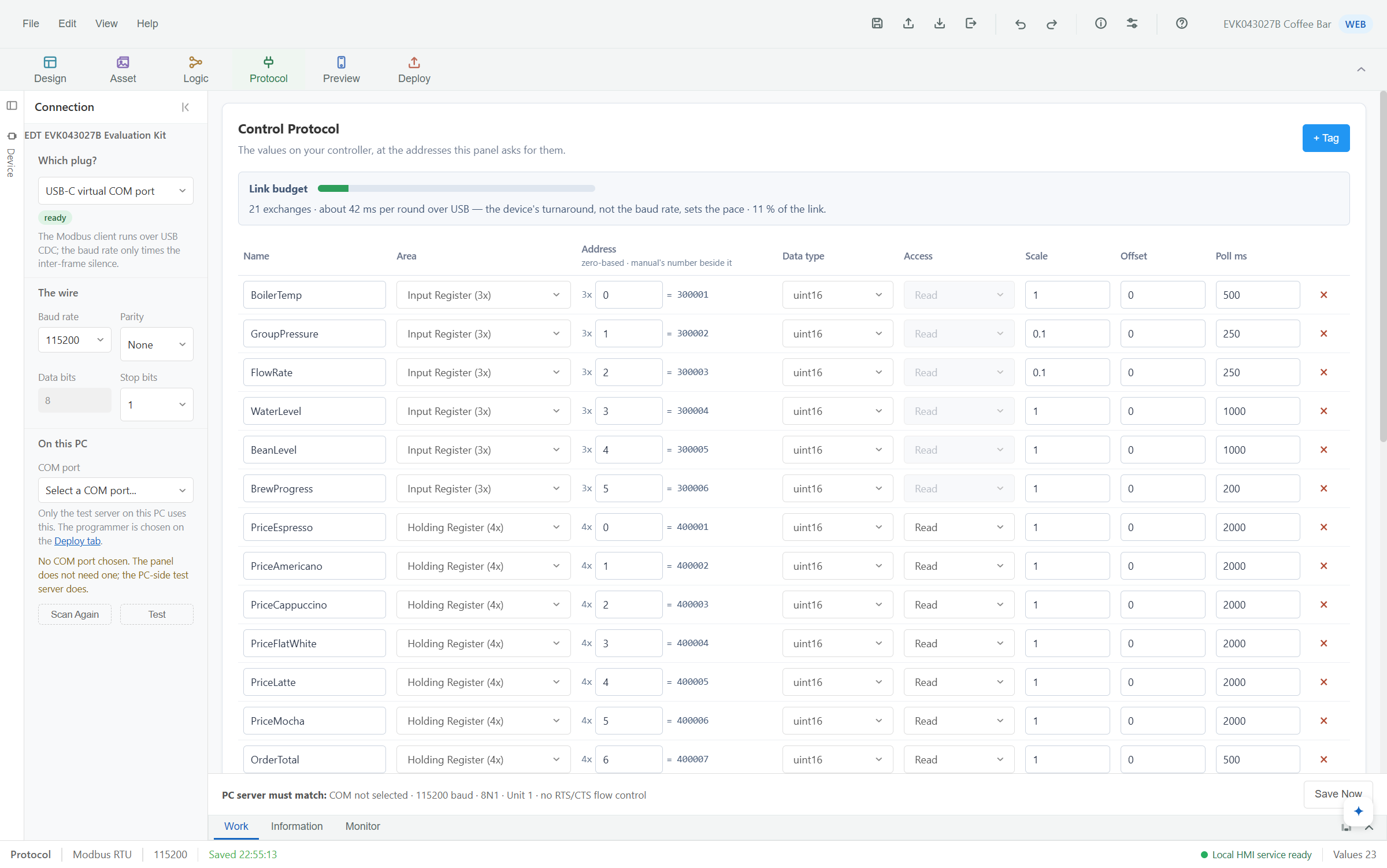
A table of named values — where each lives, how it's read, how often — and a budget that says whether it fits on the wire.
A multilingual coffee machine HMI, generated by the assistant and running against a controller — once over serial commands, once over Modbus.
More walkthroughs

Recorded on 0.8.4.dev.

Recorded on 0.8.1.dev.
An online emulator of the EVK043027B smart washer, with voice and Modbus control. Nothing to install — press the glass the way you would on the device.
Password when asked: edt321
For now these go through EDT's sales team — contact them on the EDT website.
Contact EDT salesSelf-contained — nothing to install first. Bring an OpenRouter key or a local model to wake the assistant; everything else works without one.
Verify before running:
29becf52c05ece40536feefb983fde3e88c04828d6d9afc4a7822bc9a5f62c24
certutil -hashfile EdtHmiStudio-0.9.1-win-x64-setup.exe SHA256Signed by EMERGING DISPLAY TECHNOLOGIES CORP. — Windows names it as the verified publisher when it asks to install. SmartScreen may still warn until the certificate has earned reputation: check the hash, then More info → Run anyway. A PC with no internet cannot check the signature and shows an unknown publisher. It's a desktop download — on a phone, send yourself this page and open it on your PC.
The evaluation build for key stakeholders. No longer offered for download.
The first release candidate. Usable for formal case development.
This build, and the first signed one. Usable for formal case development, and projects are compatible with subsequent versions.
The build meant for every customer — possibly earlier.

